How to use AI to dress photographs of empty care home bedrooms
Using AI to stage care home bedrooms means digitally furnishing photos of empty rooms, with warm bedding and personal touches, so families can picture…
Using AI to stage care home bedrooms means digitally furnishing photos of empty rooms, with warm bedding and personal touches, so families can picture their loved one living there before they visit.
Label the results clearly as visualisations and the honesty stays intact.
Here is why it works and how to start.
Using AI to stage care home bedrooms
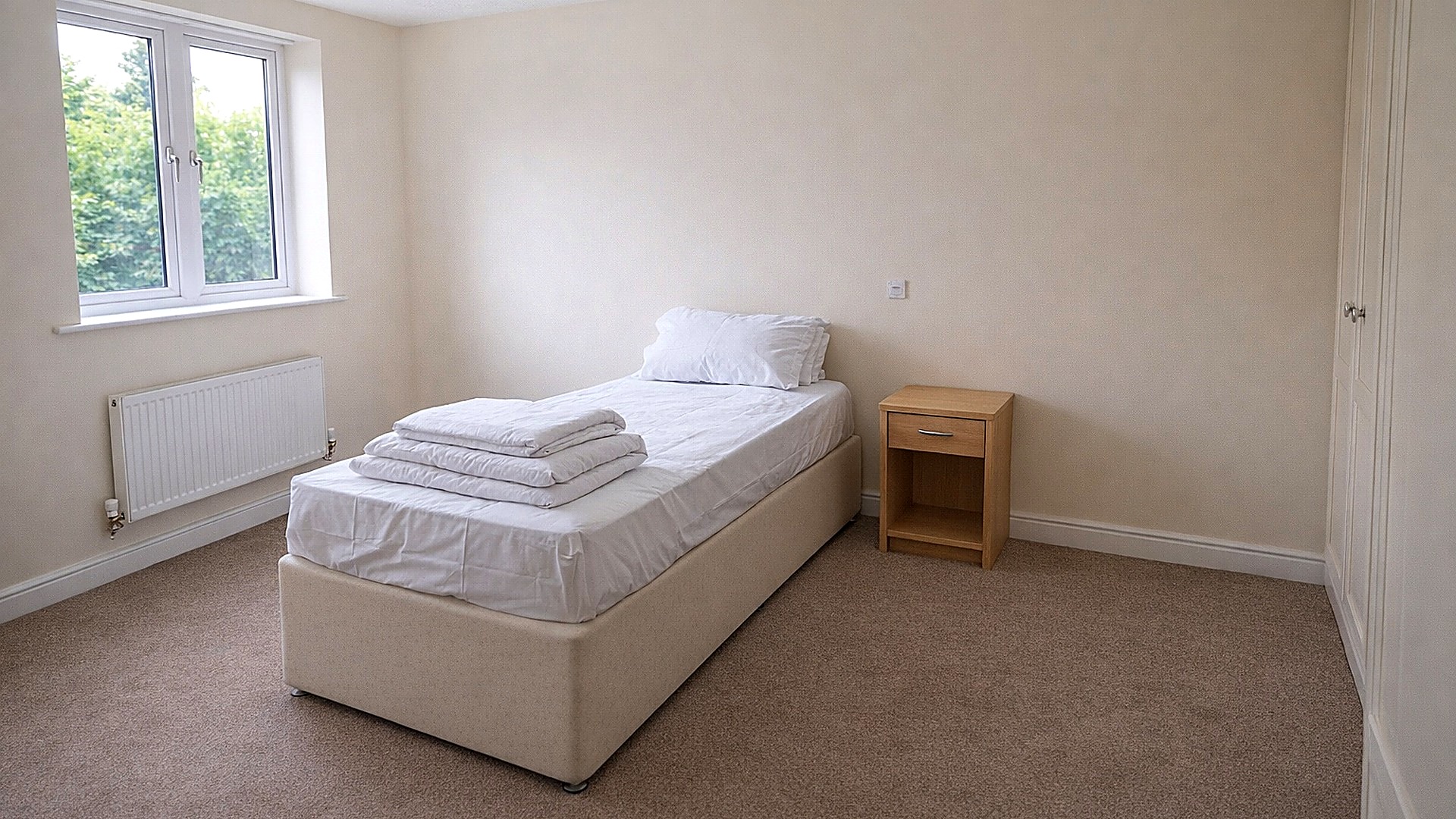
Using AI to stage care home bedrooms is a simple way to help families picture their loved one living comfortably in your home. A bare photograph of an empty room tells them very little.
Why bother staging bedrooms at all?
If you’ve ever walked into a cold, blank room, you’ll know the feeling. Nothing invites you to imagine yourself there. It’s the same for families choosing a home for mum, dad, or anyone they love. A bare room doesn’t say, “This could be home,” it says, “Nobody wants to live here.” And that sticks.
But here’s the rub: time, budgets, and regulations often mean most homes can’t re-stage every empty bedroom every time someone moves on. Buying bedding, shifting furniture, setting up lamps and choosing prints… it’s a headache.
Where AI staging helps
Now you can stage a room with just a photo and a few clicks.
Take a snap of that tired room, upload it, and get back a version with soft lighting, warm fabrics and a reading chair by the window. It helps families picture what’s possible.
What’s actually different about using AI here?
We see this all the time with smaller homes. You want to stand out, but the reality is you don’t have a team of interior designers or a fancy photo budget. That’s where AI steps in and does some of the heavy lifting.
You upload a real photo of your empty bedroom.
The AI creates an image that feels lived-in: throws, photos, even a cup of tea by the bed.
You use these images on your website, in enquiry follow-ups, even print them for your welcome pack.
It’s faster than clearing schedules for restaging and re-shoots. We have no figures to show it brings more enquiries, but it can help a family picture where a favourite chair would go.
What matters most: trust, not just gloss
A snazzy image won’t fix everything. Families choose on trust and on the care they see when they visit. A staged picture only helps them start to imagine the room.
How it can help a family picture a room
Families want warmth, safety and somewhere their relative can keep their routines: a kip after lunch, a puzzle before bed.
With AI staging, you can swap out bedding and add cushions to show how a room might feel.
Using AI staging in your enquiry follow-up
Here’s what happens when a family calls and you follow up: “I know you wanted to see Bedroom Three. I’ve attached a visual showing how it could look with a few homely touches.” Label it clearly as a visualisation. A family can then see you remembered which room they asked about.
What about staff and practical worries?
Using AI means your staff aren’t lugging beds and side-tables about when they’ve got medication rounds and family visits on the go.
Worried about over-promising? Here’s how to avoid that
No fluff. Just facts. Be honest in your captions and calls. “This image shows how Bedroom Four could look once set up to your loved one’s taste.” You’re not turning into a developer selling new builds. You’re helping someone imagine comfort. Pick AI styles that actually match your home, and don’t promise rain showers or high-tech gadgets you haven’t got. Use it as a bridge, not a mask. The ASA says disclosure will not rescue a misleading image. Show the real room’s size, window and fittings, and label the picture “a visualisation”.
How to get started (without getting lost in tech jargon)
If all this sounds a bit futuristic, don’t panic. Several tools now offer this kind of AI staging, including Google’s Nano Banana. It’s about picking real photos from your own home (not slick stock shots), uploading them, and tweaking the details. Test on one room. Ask a family, or a resident who loves home decor, for their first impression. That’s how you spot if it feels “right”.
One more thing: remember GDPR. If you’re showing current resident items, get permission. And keep things updated, so a staged picture always matches the room.
You don’t need to splash out or try to be Instagram perfect. Start with one room, and see what a family says.
If you want to see the work we have done with care homes, have a browse of our case studies.
3 Simple Things You Can Do Today
Take a photo of your emptiest bedroom and upload it to an AI staging tool, just to see how it could look.
Send a clearly labelled visualisation to one family waiting on an enquiry follow-up, and ask for their honest reaction.
Barry Jobson, founder
25 years in brand, digital and marketing, six of them only in care. Barry writes the Quick Wins email every week and still answers the phone.
The questions people ask. Answered in a line or two.
Is AI staging honest?
Yes, provided you present staged images as visualisations of an empty room and never as photographs of the room as it stands. Families understand show-home styling; what they will not forgive is being misled.
What do we need to get started with AI staging?
A well-lit, tidy photo of the empty room and an AI staging tool.
If your base photos need work, our care home photography team can build you a proper library to stage from.